
Step 2. Install Recommended Plugins
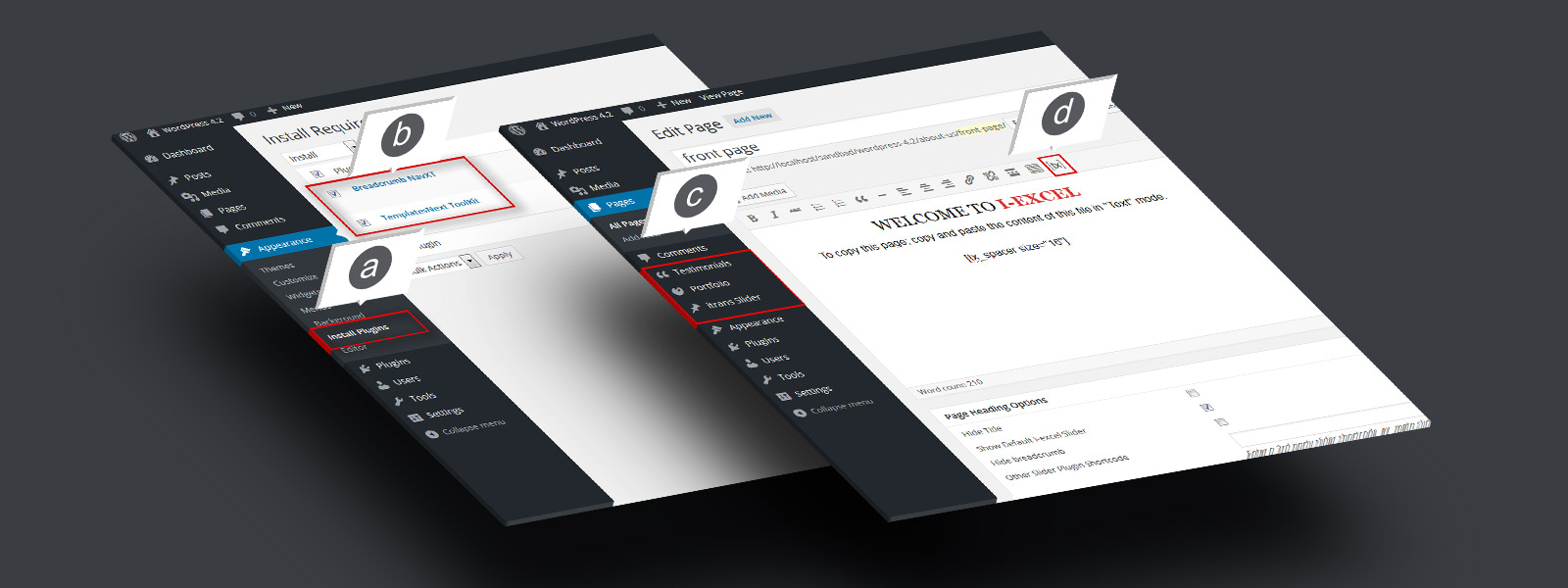
a. Go to “Appearance” b. Check “Templatesnext Toolkit” and “Breadcrumb NavXT” c. Install and activate
Step 3. Create And Set A Front Page
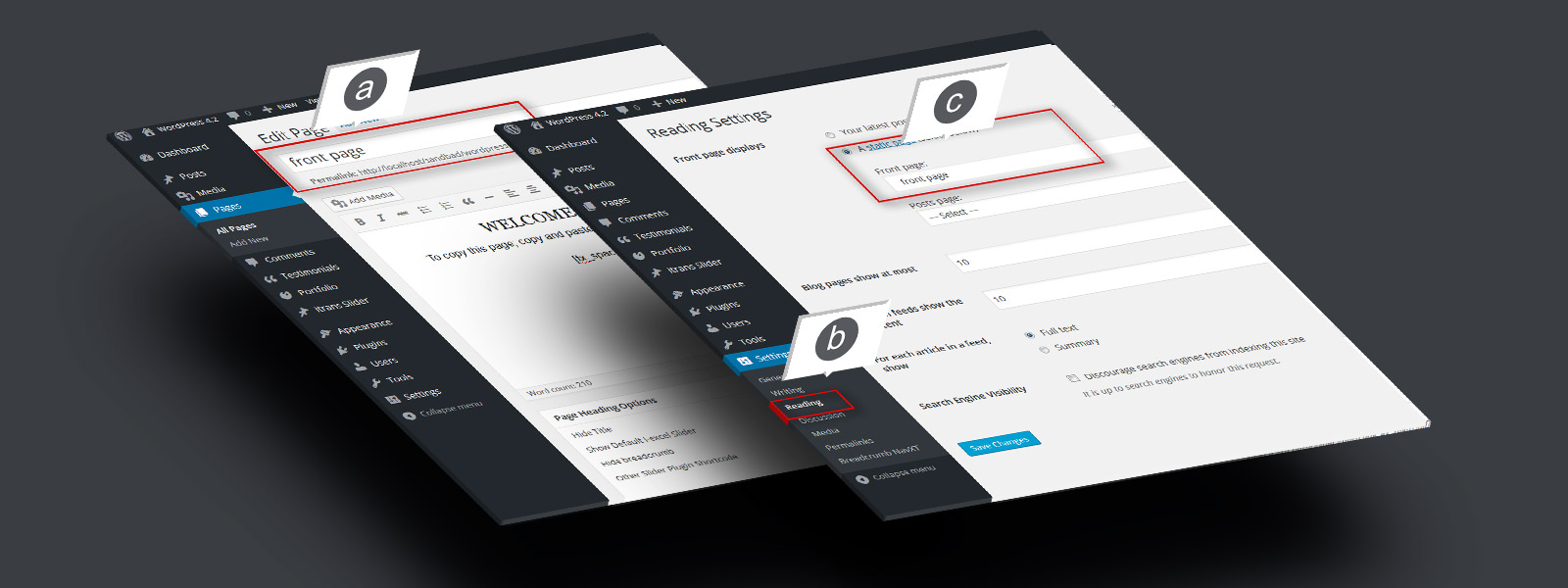
a. Create a page, say “Front Page” and save b. Go to “Settings” > “Reading” C. Set your newly created page as static front page. d. Do same for blog if ...
Step 4. Add Slider On Front Page
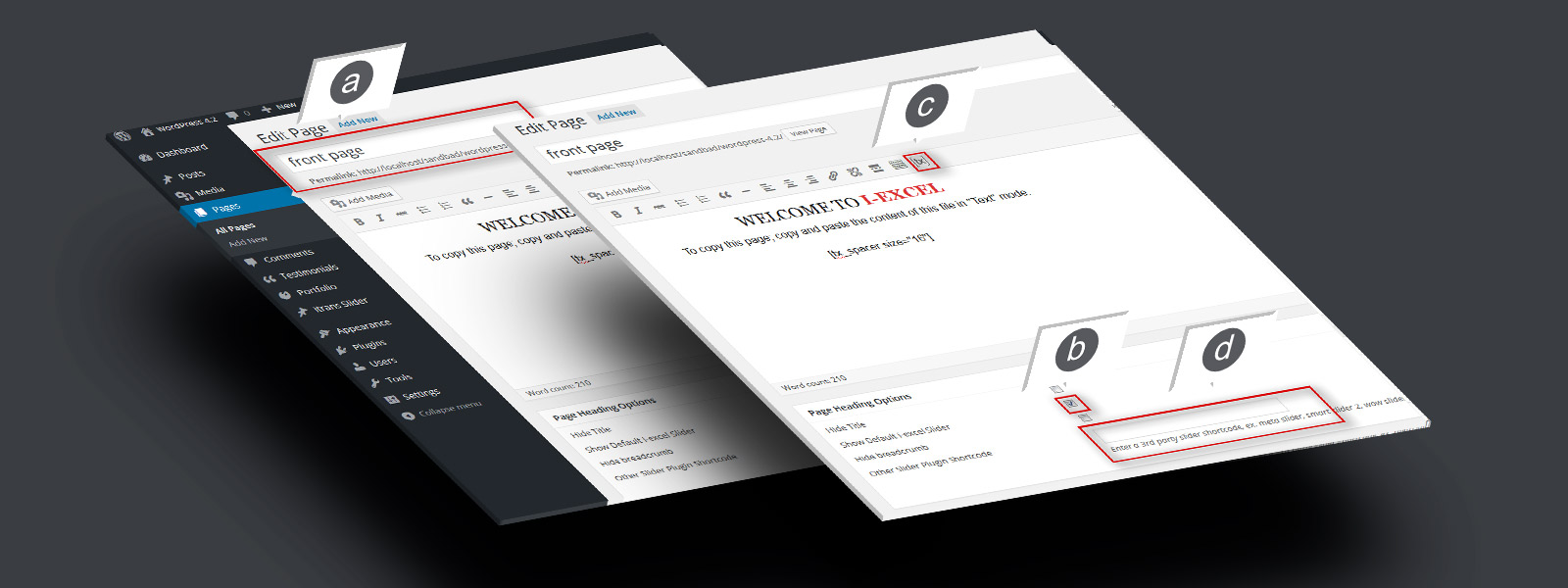
a. Open newly created “Front page” in editor. b. Check “Show default i-excel slider” to show default slider. c. Use to generate slider. d. Add the shortcode in “Other slider ...
Step 2. Install Recommended Plugins
a. Go to “Appearance” b. Check “Templatesnext Toolkit” and “Breadcrumb NavXT” c. Install and activate
Step 3. Create And Set A Front Page
a. Create a page, say “Front Page” and save b. Go to “Settings” > “Reading” C. Set your newly created page as static front page. d. Do same for blog if ...
Step 4. Add Slider On Front Page
a. Open newly created “Front page” in editor. b. Check “Show default i-excel slider” to show default slider. c. Use to generate slider. d. Add the shortcode in “Other slider ...
Step 2. Install Recommended Plugins
a. Go to “Appearance” b. Check “Templatesnext Toolkit” and “Breadcrumb NavXT” c. Install and activate
Step 3. Create And Set A Front Page
a. Create a page, say “Front Page” and save b. Go to “Settings” > “Reading” C. Set your newly created page as static front page. d. Do same for blog if ...
Step 4. Add Slider On Front Page
a. Open newly created “Front page” in editor. b. Check “Show default i-excel slider” to show default slider. c. Use to generate slider. d. Add the shortcode in “Other slider ...
Step 2. Install Recommended Plugins
a. Go to “Appearance” b. Check “Templatesnext Toolkit” and “Breadcrumb NavXT” c. Install and activate
Step 3. Create And Set A Front Page
a. Create a page, say “Front Page” and save b. Go to “Settings” > “Reading” C. Set your newly created page as static front page. d. Do same for blog if ...
Step 4. Add Slider On Front Page
a. Open newly created “Front page” in editor. b. Check “Show default i-excel slider” to show default slider. c. Use to generate slider. d. Add the shortcode in “Other slider ...