Call us : 2382-2038
Mail us : info@godwin.com.hk
Godwin

Menu

Skip to content
  • 首頁
  • 關於我們
  • 服務領域
    • 職業治療
    • 輔導服務
    • 其他專職治療
  • 課程資料
  • 訓練器材
  • 聯絡我們

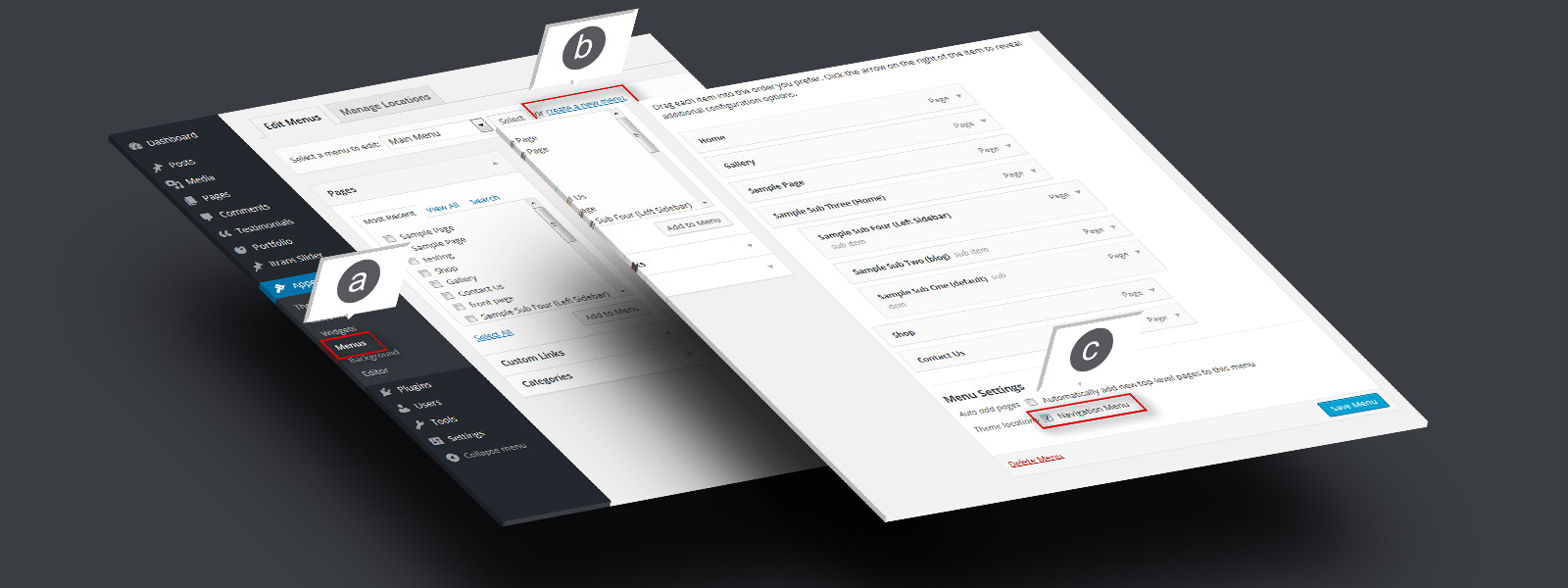
Step 1. Menu Setup

a. Go to “Appearance” > “Menus”. b. Create a new menu, add pages and links c. Check “Navigation Menu” and save

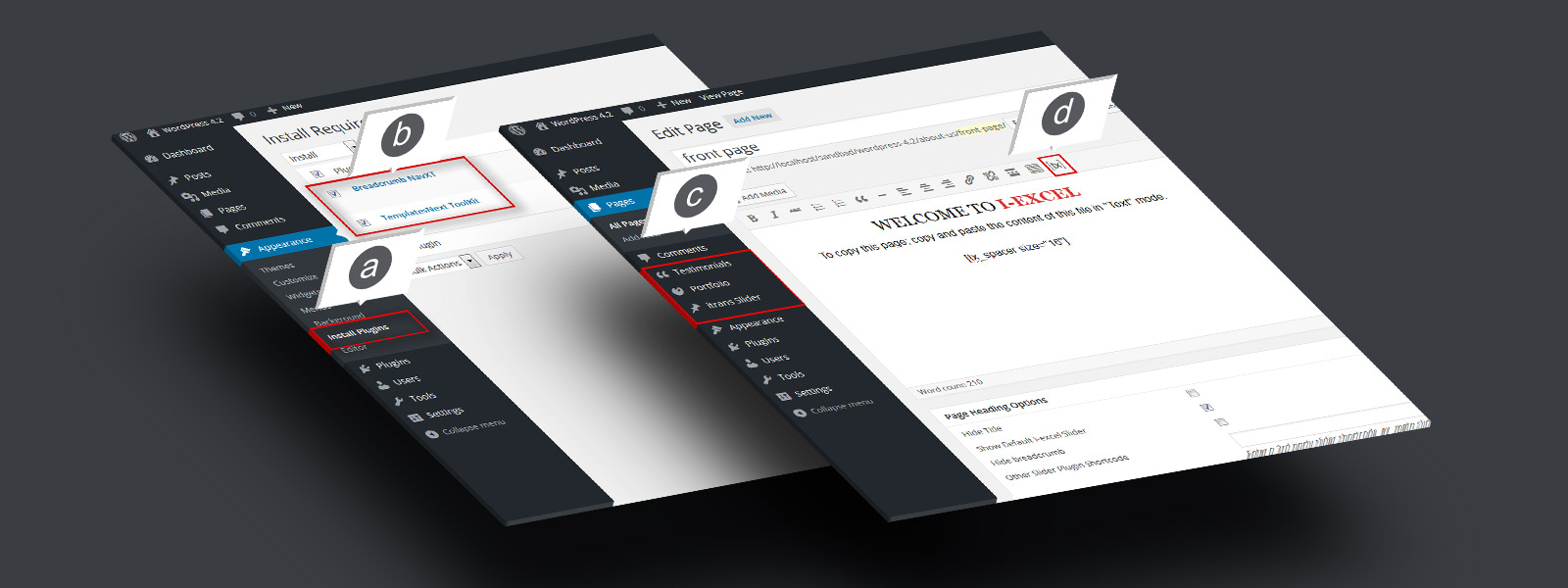
Step 2. Install Recommended Plugins

a. Go to “Appearance” b. Check “Templatesnext Toolkit” and “Breadcrumb NavXT” c. Install and activate

Know More...

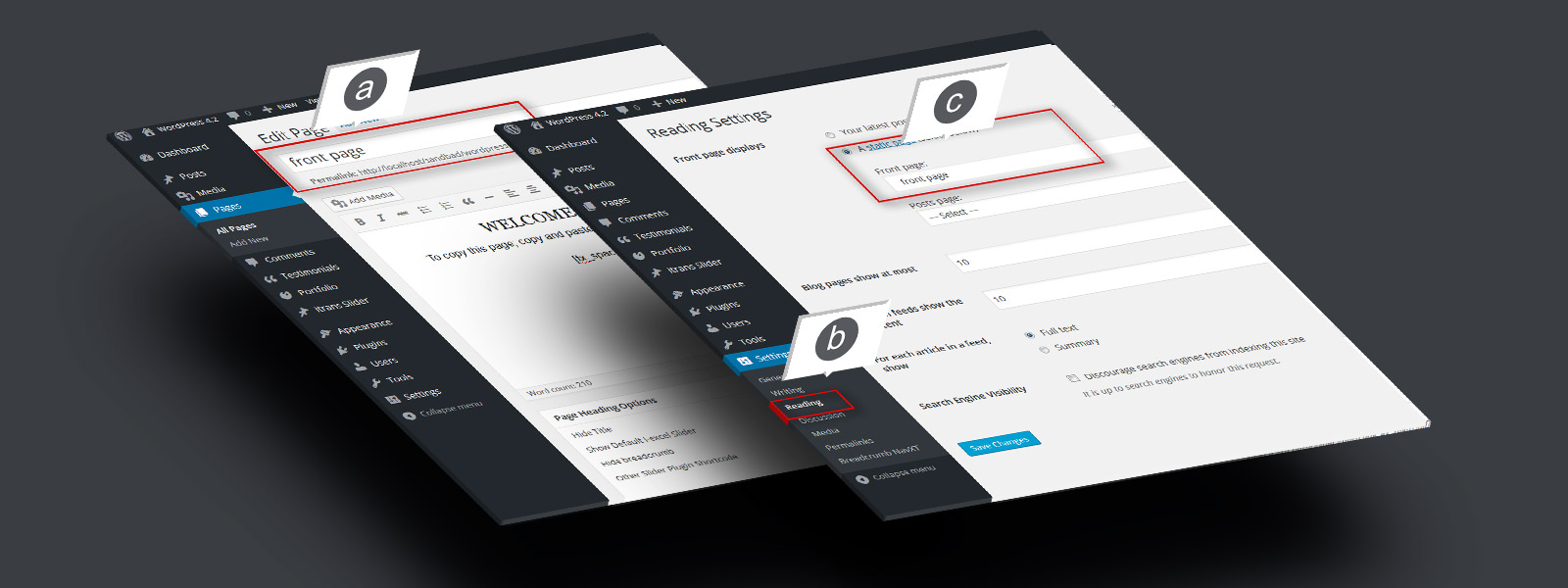
Step 3. Create And Set A Front Page

a. Create a page, say “Front Page” and save b. Go to “Settings” > “Reading” C. Set your newly created page as static front page. d. Do same for blog if ...

Know More...

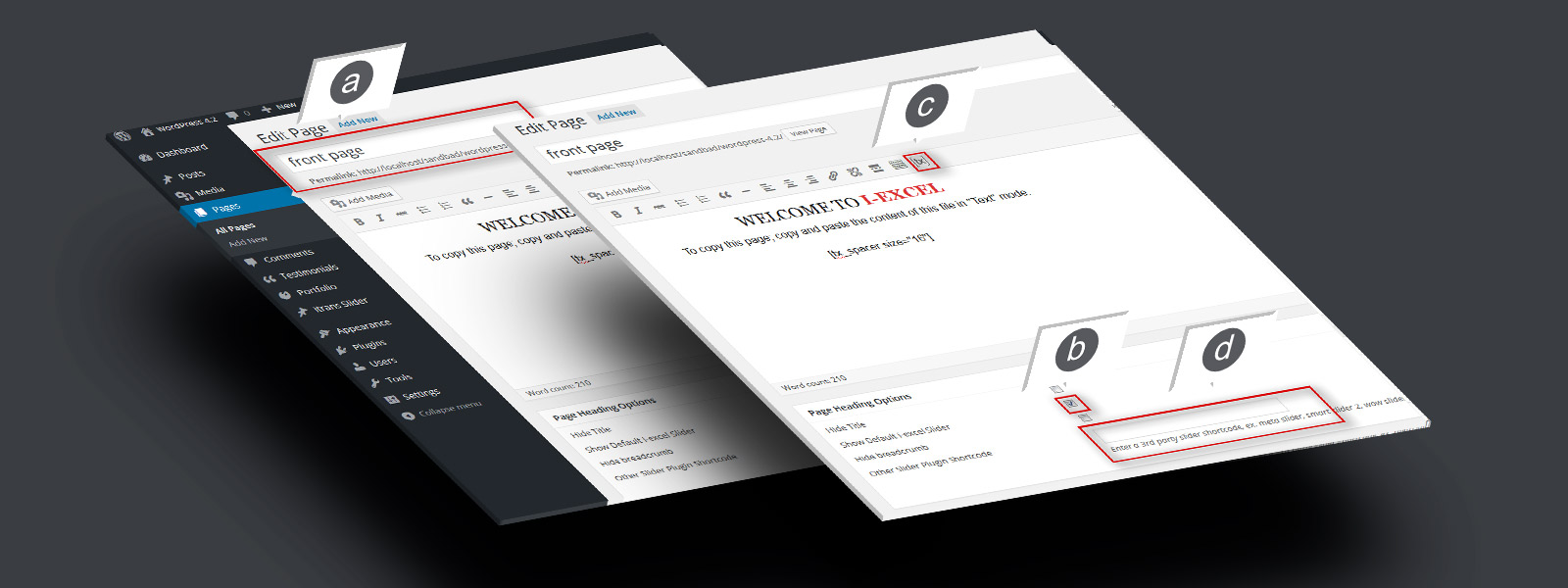
Step 4. Add Slider On Front Page

a. Open newly created “Front page” in editor. b. Check “Show default i-excel slider” to show default slider. c. Use to generate slider. d. Add the shortcode in “Other slider ...

Know More...

hello

    alternative text

    hello

    alternative text

    hello

    Copyright © Godwin Family Rehab Network
    Powered by WordPress , Theme i-max by TemplatesNext.
    MENU
    • 首頁
    • 關於我們
    • 服務領域
      • 職業治療
      • 輔導服務
      • 其他專職治療
    • 課程資料
    • 訓練器材
    • 聯絡我們